
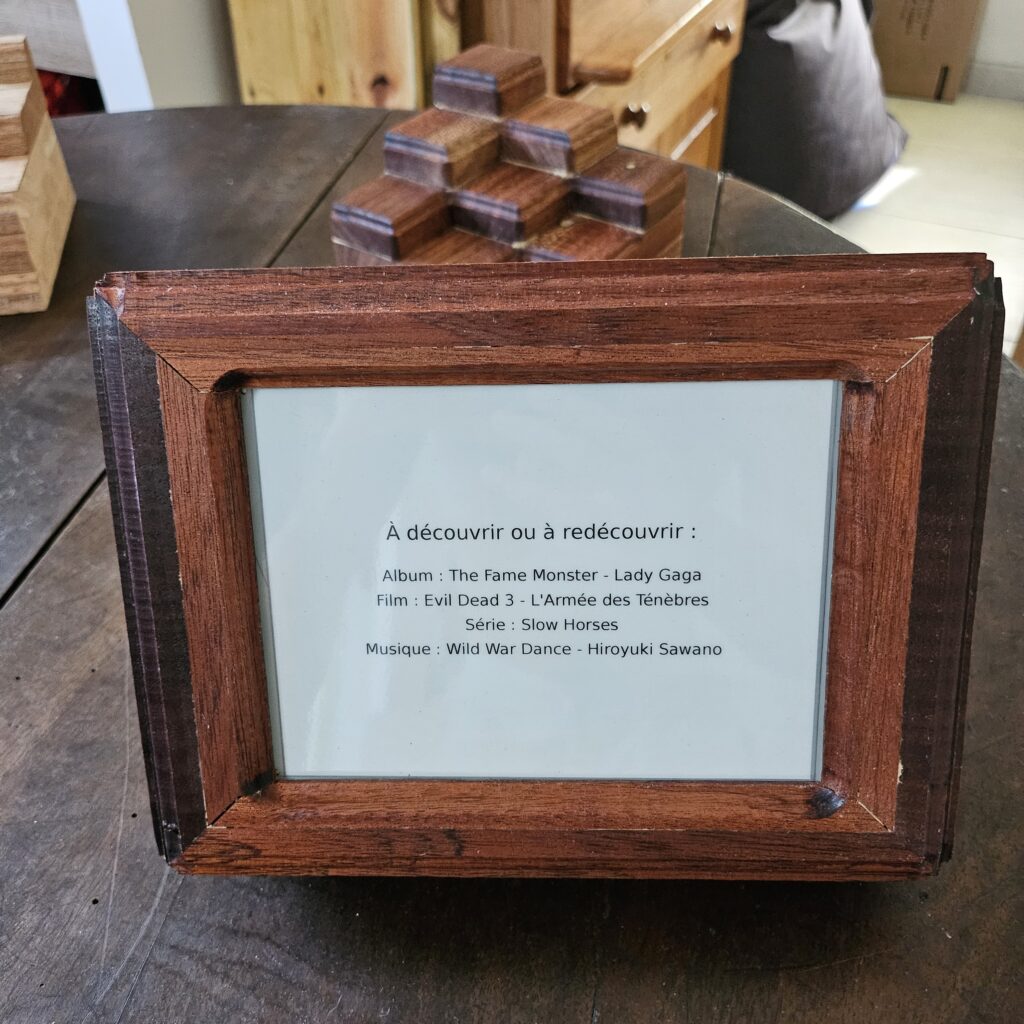
I wanted a quiet object on the wall: something that wakes up once a day, shows a few picks (album, film, series, track…), then goes back to sleep.
This project is Displayyy: part salvage, part software, part box-making.
Why this exists
I like the idea of a small daily ritual: open my eyes, glance at a board, and get a short list of things I might rediscover. An e-ink screen is perfect for that — it looks like print, and it barely uses power once the image is written.
I already had the heart of that idea sitting in a drawer: an Author Clock that had stopped working. After testing, the board inside was partly dead. The screen was still good. So the question became simple: what can I build with this panel?
Hardware
Starting point
- One 7.8″ Waveshare-style e-ink panel kept from the Author Clock
- The rest of the original clock’s electronics → retired
What I built around it
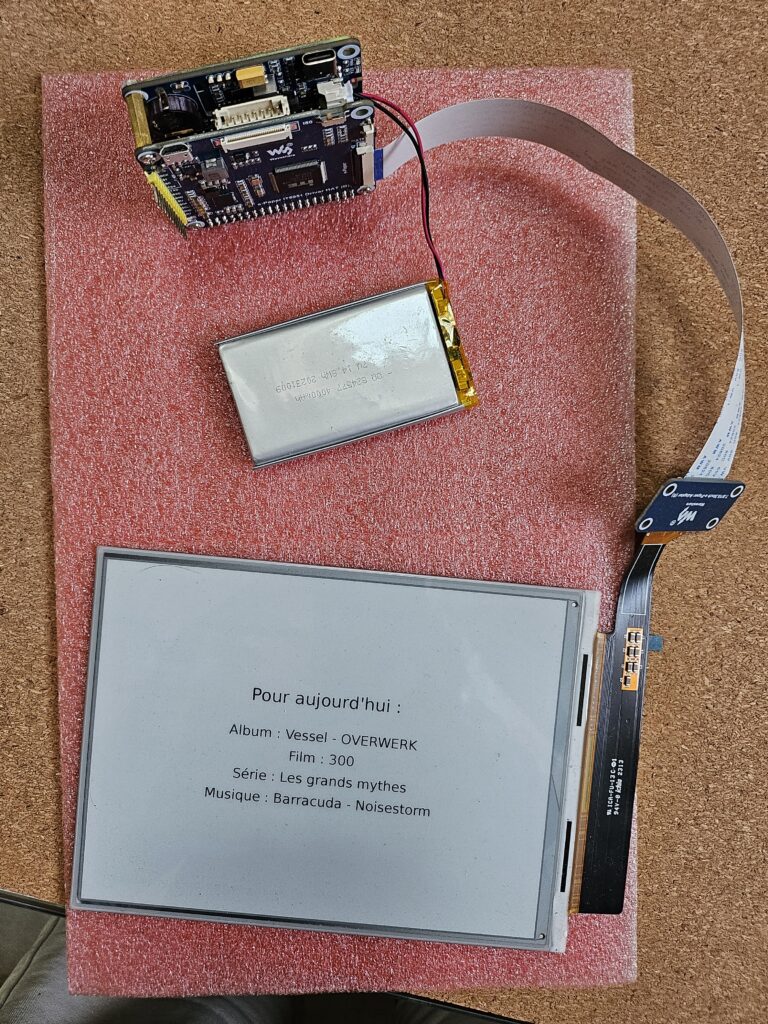
To drive that kind of screen and make a battery-friendly “wake → refresh → sleep” life, the stack ended up like this:
| Piece | Role |
|---|---|
| Raspberry Pi Zero 2 W | Tiny computer that chooses the day’s text and draws the image |
| Waveshare IT8951 Driver HAT | The “translator” between the Pi and the e-ink panel |
| Waveshare Power Management HAT (B) | Power brain: battery, charging, timed wake-up, clean power cut |
| LiPo battery (~4000 mAh on my build) | So it can live off the wall for days |
Hardware struggles
- Proving the salvaged panel still worked before buying the rest of the stack.
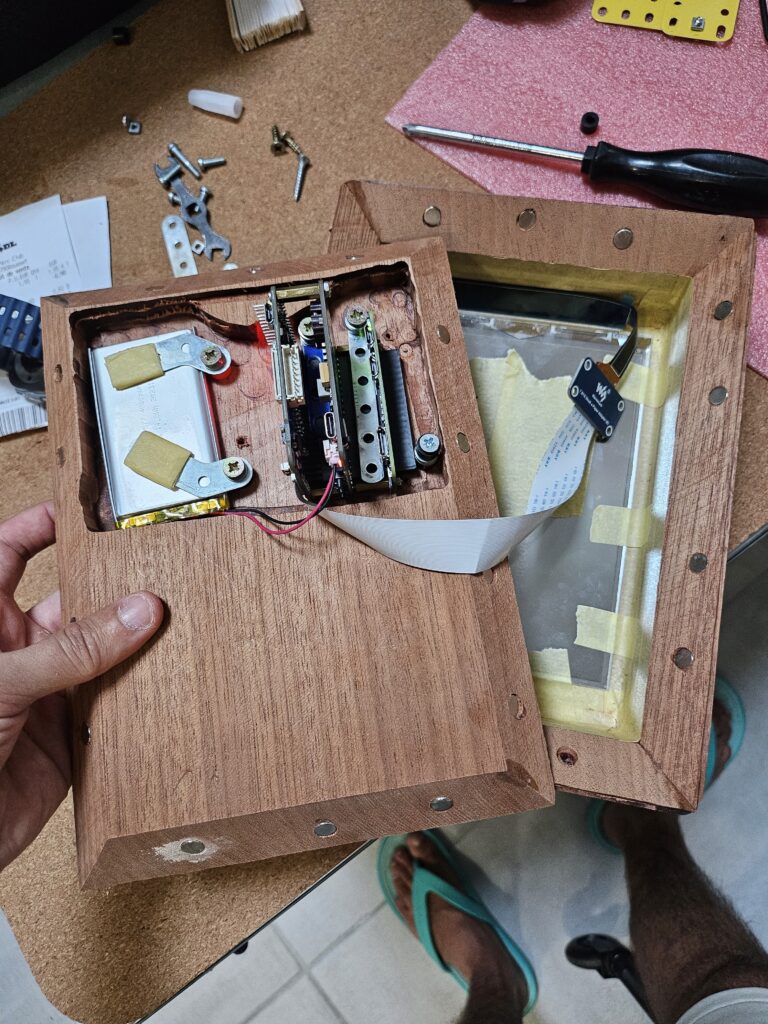
- Fitting Pi + two HATs + a fat battery into a thick wooden pocket without rattles or pinched cables.
Software
On the Pi, a small Python app builds the daily page: picks one item per category from my library file, optional background frames, battery icon when it can read the cell, then writes the e-ink image and (in normal use) shuts the machine down.
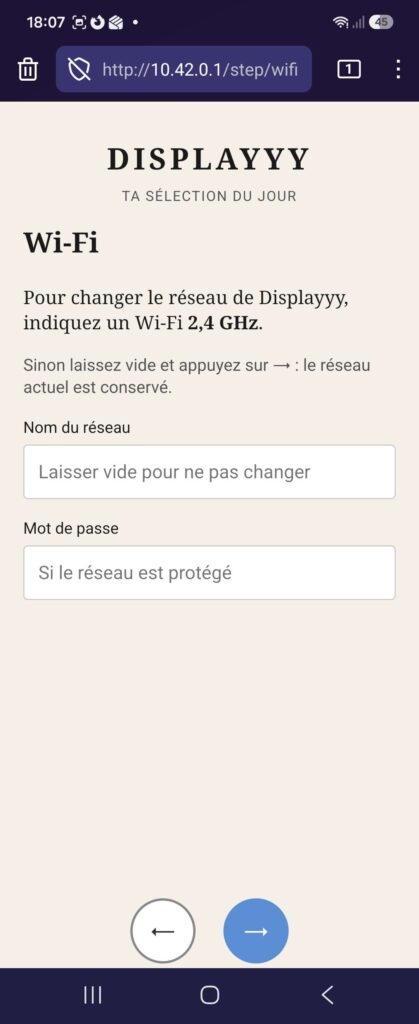
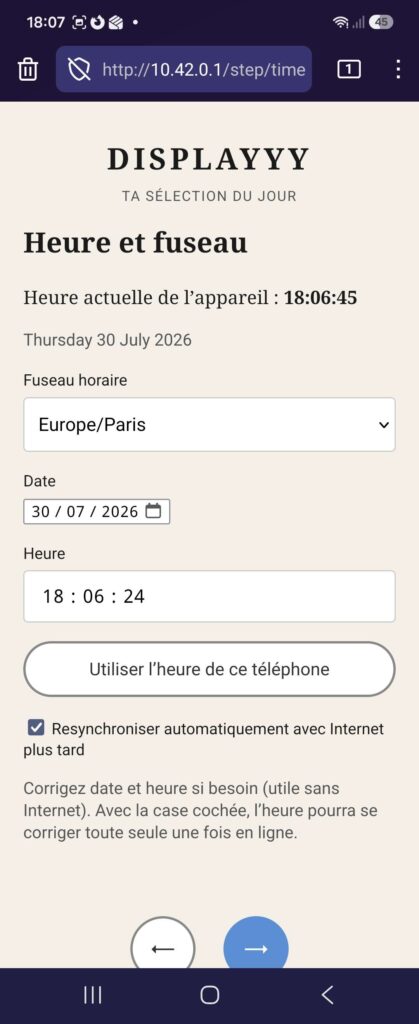
Setup from a phone: short press on the Power HAT button → temporary Wi‑Fi → a simple wizard (Wi‑Fi, time, what to show, when to refresh…).
More detail, config, and install notes: the open repo — Github.
The Wizard



Software struggles
- Making “wake → draw → sleep” reliable: if the schedule and the shutdown don’t agree, the board either wakes at the wrong time or never really rests.
- A phone setup wizard so you don’t need a keyboard on the wall — and making sure what you change there actually sticks after the next sleep.
- The wizard is a complete knock-off of the one from the AuthorClock..
Woodworking
Same rule as my other pieces: reclaimed wood, keep the character, accept the constraints.
I didn’t have a clean way to plane the boards properly, so they stayed thick. I tried to thin the build where I could — pockets for the boards and battery, careful recess for the screen — but the frame still has that honest, chunky presence. Thick planks fight you; they also forgive a bit when you’re carving some moldings.
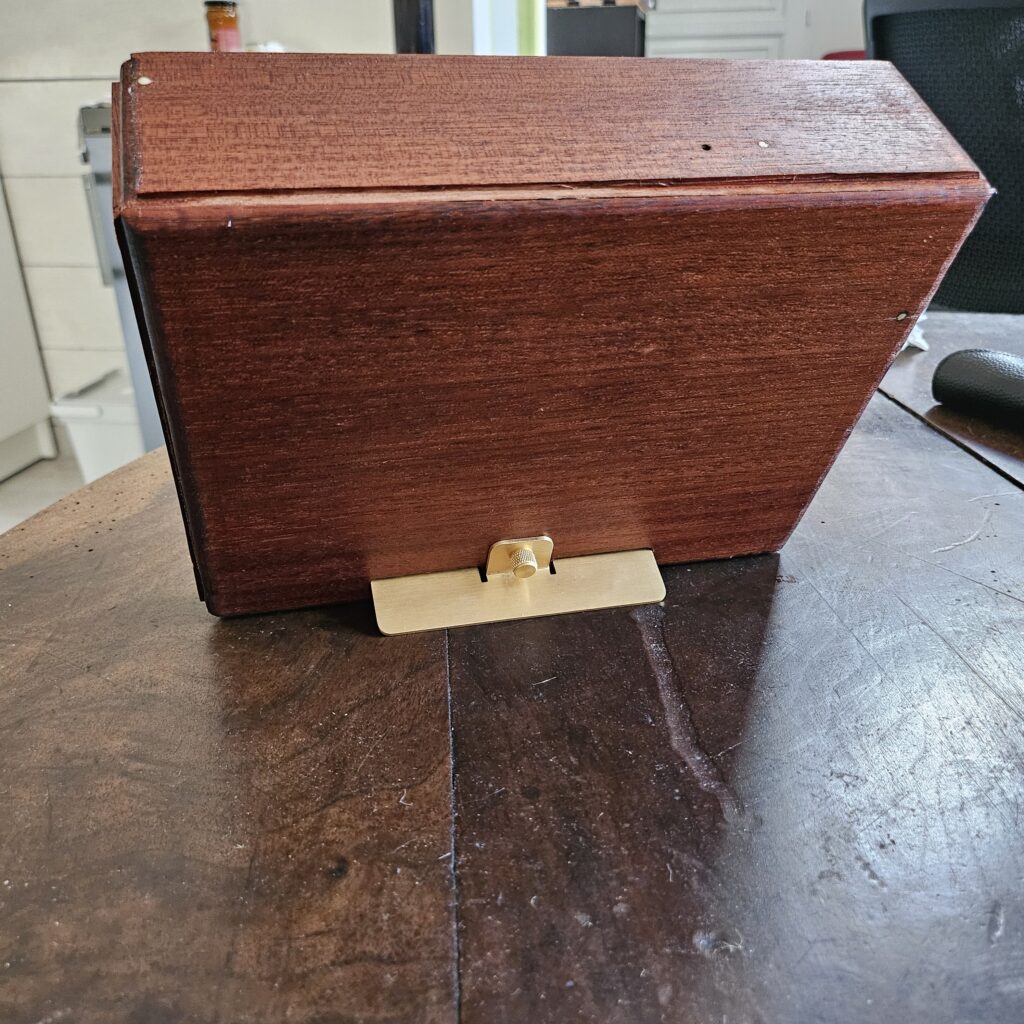
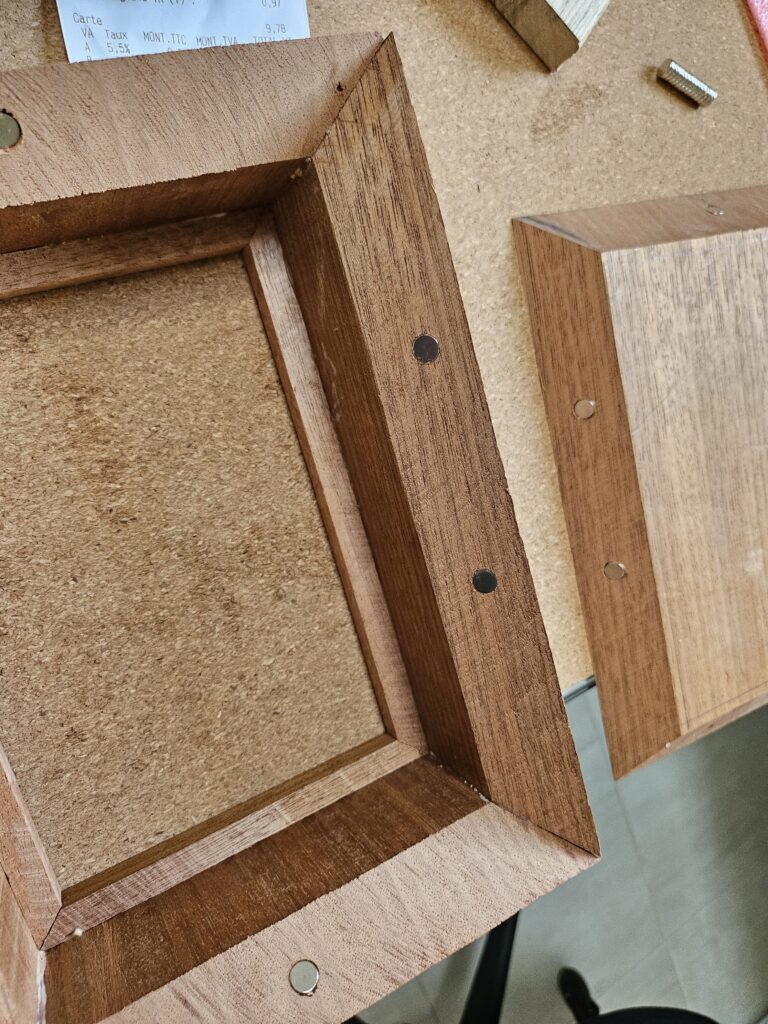
Closure: I tried magnetic joints. They work — if you commit. It took a lot of small magnets around the rim (front and back) before the lid felt secure and even. Fewer magnets = “almost closed.” More magnets = click, and you stop worrying.
Inside the box: keeping the electronics from rattling was its own puzzle — brackets, tape, carved pockets, ribbon length, battery held with clips. The goal was: close the magnets, hang it, and not hear a loose HAT complain when you walk past.
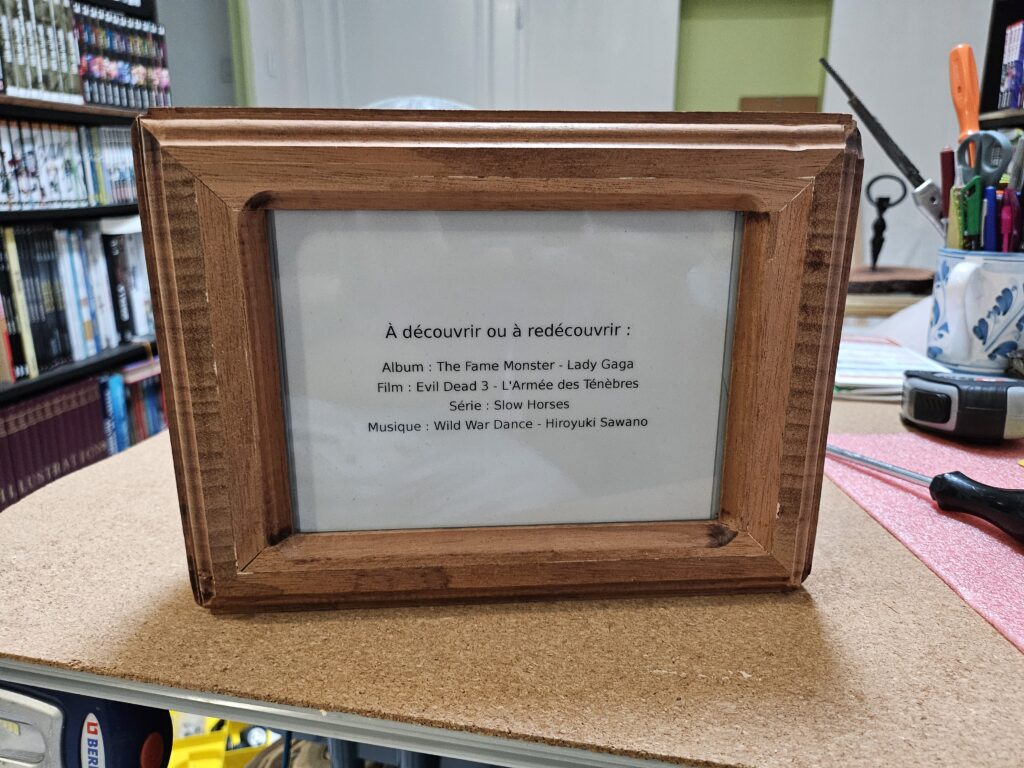
And then: close it, put it on the bench, and the e-ink page is just… there. No backlight. No hum. A wooden frame around a quiet list for the day.
Closing
Displayyy sits between three crafts I care about: saving a good screen from a dead product, writing software that respects batteries and humans, and building a box that doesn’t apologize for thick reclaimed wood.
If you want the nerdy path (config keys, services, flashing notes), the GitHub repo is the deep end. If you just want the object: it wakes, it writes, it sleeps — and the wood does the rest.