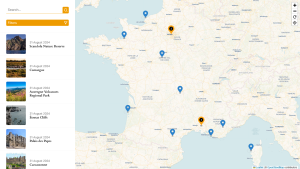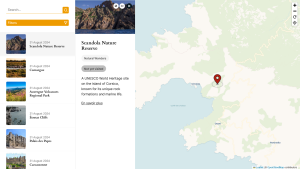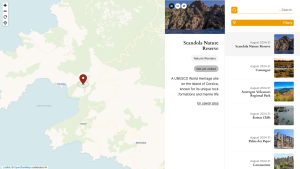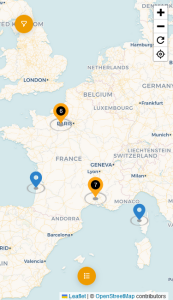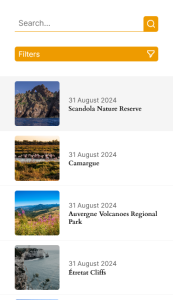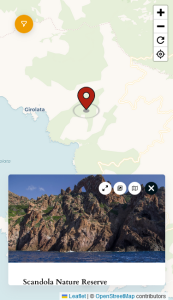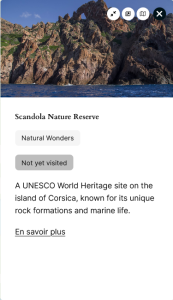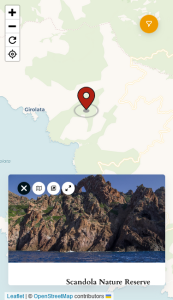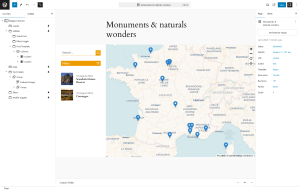
This powerful plugin allows you to effortlessly display maps with markers based on the latitude and longitude provided in your posts.
Key Features
- Versatile Data Sources: Choose the data source for your markers, whether from WordPress post types, taxonomies, or categories.
- Sidebar Integration: Optionally display a sidebar with the selected posts for additional context.
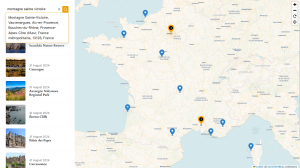
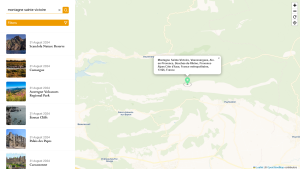
- Search Functionality: Enable a search bar to help users find specific locations quickly.
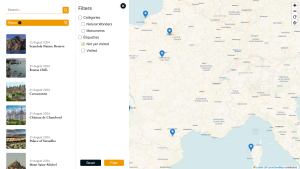
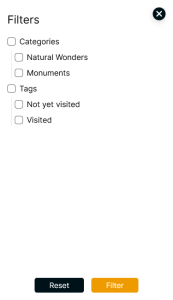
- Advanced Filtering: Provide filters to refine search results based on different criteria.
- Customizable Markers: Personalize marker colors to match your branding.
- Multiple Map Tiles: Select from multiple map tile options to fit your design preferences.
- Real-Time Preview: View your map in real time within the block editor, ensuring it meets your needs before publishing.
- User-Friendly Interface: Easily customize maps without any coding experience.
- Optimized Performance: Lightweight construction ensures optimal performance without burdening your site.
- No Database Overhead: Works without additional database queries or tables, maintaining site efficiency.
- Zoom Control: Adjust the zoom level of your map to fit your display requirements.
- Localization Support: Fully supports localization to cater to a global audience.
- Full site editing: You can edit the posts render directly inside the block.
How to Get Started
- Install the Plugin: Visit the Mappps Plugin page and click “Download”.
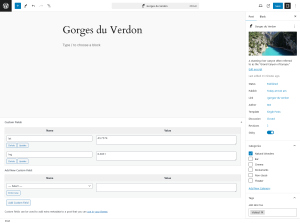
- Create Posts: Add new posts with latitude and longitude custom fields.
- Display the Map: Use the “Mappps – blocks” Gutenberg block to add maps to your content.
Why Choose Mappps?
Mappps is designed to provide a user-friendly and efficient mapping solution for WordPress users. Whether you are a travel blogger, real estate agent, or business owner, Mappps offers the flexibility and functionality you need to showcase locations effectively.
Learn More
We hope you find Mappps to be a valuable tool for your WordPress site. If you have any questions or need support, please use the issue section on our GitHub repository.
Screenshots